Introduction
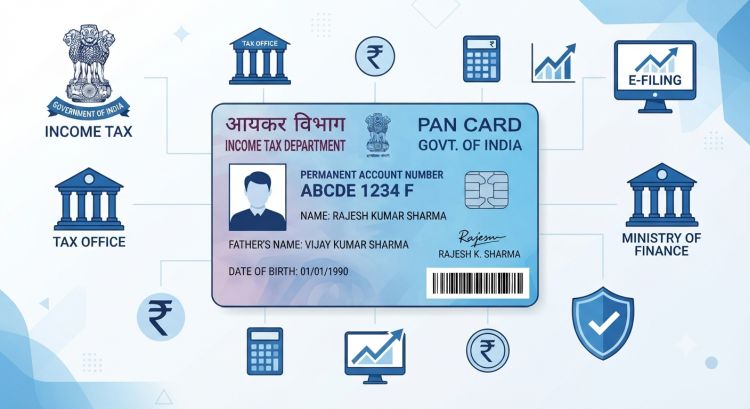
A Permanent Account Number (PAN) is a mandatory 10-digit alphanumeric identification number issued by the Income Tax Department of India. Whether you need to open a bank account, file income tax returns, or carry out high-value financial transactions, having a PAN card is essential.
Applying for a PAN card used to involve physical paperwork, but today you can complete the entire application online from the comfort of your home. In this guide, we will walk you through the step-by-step process of applying for a new PAN card online.
Documents Required for Online PAN Application
Before starting your application, ensure you have scanned copies or physical copies of the following documents:
| Document Category | Accepted Proofs |
| Proof of Identity (POI) | Aadhaar Card, Voter ID, Passport, Driving License |
| Proof of Address (POA) | Aadhaar Card, Utility Bills (Electricity/Gas/Water), Bank Account Statement |
| Proof of Date of Birth (PODB) | Voter ID, Birth Certificate, Metrication Certificate, Passport |
Note: If your mobile number is linked to your Aadhaar Card, you can choose the Aadhaar e-KYC (Paperless) method, eliminating the need to upload separate physical documents.
Step-by-Step Guide to Apply for a PAN Card Online
Step 1: Visit the Official Portal
Go to the official portal for PAN applications:
- Protean (formerly NSDL e-Gov): TIN-NSDL Portal
- Apply Contact Whatsapp: Link Now
Step 2: Fill in the Application Registration Details
- On the homepage, select “Apply Online”.
- Choose Application Type: New PAN – Indian Citizen (Form 49A / FN93).
- Select Category: Choose Individual (or your business entity category).
- Fill in basic applicant information (Title, Name, Date of Birth, Email ID, Mobile Number).
- Accept the terms, enter the captcha code, and click Submit.
Step 3: Save the Token Number
Upon registration, a 15-digit Token Number will be generated and displayed on the screen as well as sent to your registered email.
Tip: Save this token number to resume your application later if you get disconnected.
Step 4: Choose Document Submission Method
You will be prompted to choose one of three options:
- Submit digitally through e-KYC & e-Sign (Paperless): Uses Aadhaar OTP. No document upload required.
- Submit scanned images through e-Sign: Upload custom photos, signatures, and scanned documents.
- Forward application documents physically: Print the filled application, attach photos/signatures, and post it to the Protean/NSDL office.
Step 5: Fill Personal and Address Details
- Enter parent details (Father’s name is mandatory even for married women).
- Enter income source details.
- Provide your communication address (Residence or Office).
- Enter AO Code (Assessing Officer Code), which is automatically updated when you select your State and City.
Step 6: Pay the Application Fee
Pay the nominal application fee online via Credit Card, Debit Card, Net Banking, or UPI.
Step 7: Aadhaar Authentication / e-Sign
If you opted for the Aadhaar e-KYC method:
- Enter the OTP sent to your Aadhaar-linked mobile number.
- Once verified, an acknowledgement form with an Acknowledgement Number will be generated.
How to Check PAN Card Application Status
After completing the application, you can track its status online:
- Visit the portal’s Track PAN Status page.
- Select Application Type as PAN – New / Change Request.
- Enter your 15-digit Acknowledgement Number.
- Click Submit to view your processing status.
Frequently Asked Questions (FAQs)
1. How long does it take to receive a PAN Card online?
For Aadhaar e-KYC applications, an e-PAN is generally emailed within 2 to 3 working days. The physical card arrives by post within 10 to 15 working days.
2. Can I get a PAN card instantly?
Yes, if you have an Aadhaar card linked to your current mobile number, you can apply for an Instant e-PAN on the official Income Tax e-Filing Portal free of cost.
Conclusion
Applying for a PAN card online is a quick, secure, and straightforward process. By following the steps outlined above, you can obtain your electronic and physical PAN card without hassle.